Fart Together roblox: How to Play and Platform Guide
Find Fart Together on Roblox, learn what the listing confirms, get beginner tips, and understand how it differs from the Steam game.
Fart Together roblox: What to Know Before Playing
One badly timed burst can turn a simple obstacle course into a comedy routine. If you’re searching for Fart Together roblox, finding the right listing matters because a Steam game shares its name, while a YouTube video uses another name in its title. This Fart Together roblox guide separates confirmed details from beginner suggestions so you can spend less time sorting through search results and more time figuring out the movement.
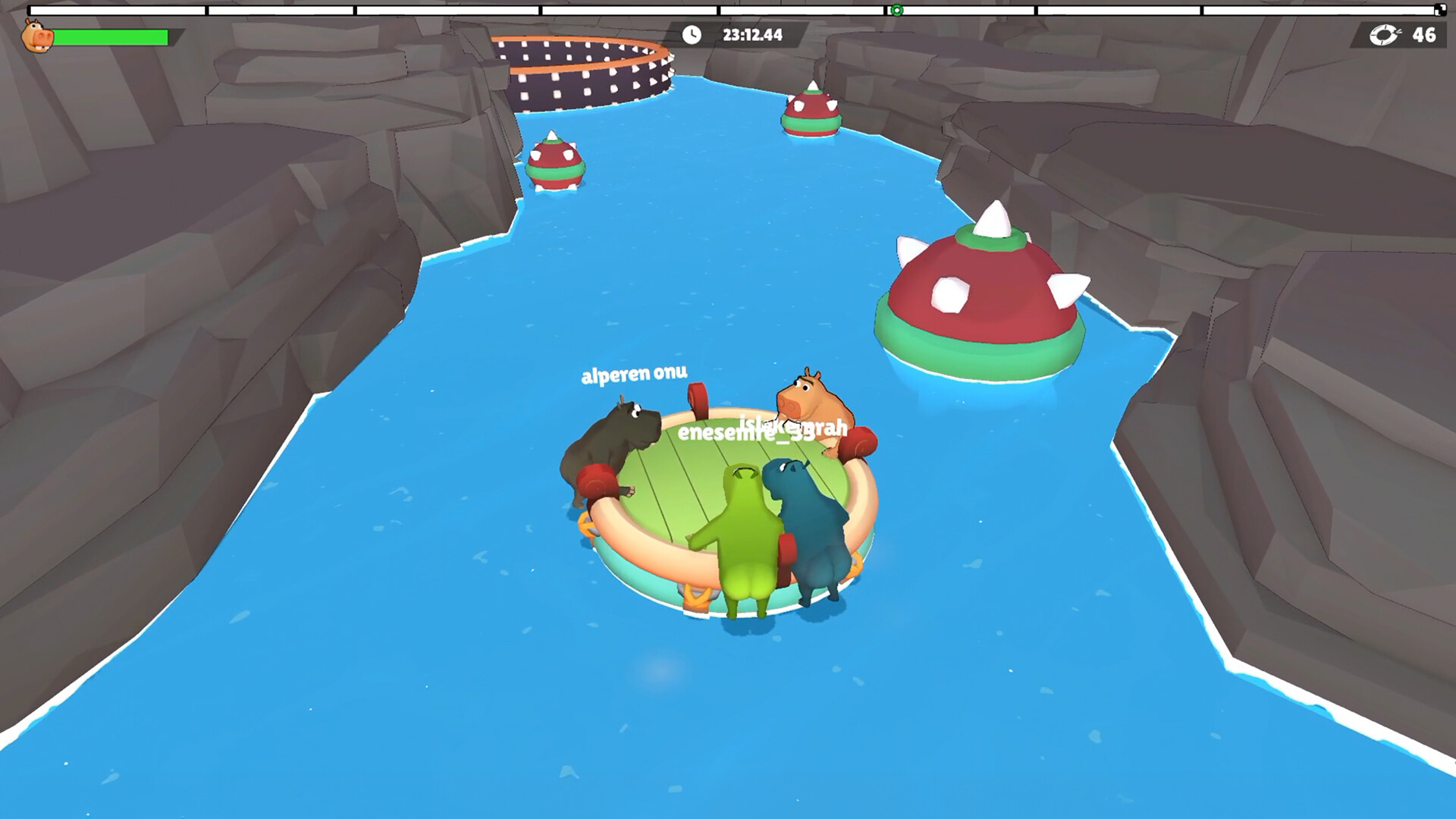
Official screenshot · Source: Steam store
The Roblox experience describes a friends-focused obstacle course where fart-powered movement lets you steer, boost, and get past obstacles. Its listed genre is Obby & Platformer, putting navigation and timing at the center of the challenge.
There is one important availability caveat: the Roblox page captured on October 23, 2026, displayed a message that no experiences were running. That is a snapshot, not proof of a permanent shutdown. Check the current listing before planning a session.
Confirmed details at a glance
| Detail | What the Roblox listing confirms |
|---|---|
| Experience name | Fart Together |
| Platform | Roblox |
| Genre | Obby & Platformer |
| Movement concept | Fart-powered steering, boosting, and obstacle traversal |
| Social focus | Playing through courses with friends |
| Listed milestones | First visit, first checkpoint, and finish line |
| Availability snapshot | No running experiences shown in the collected page |
The description does not establish exact keyboard controls, supported devices, a required party size, or a complete progression system. Those details should be checked in the live experience rather than borrowed from another game.
How to Find and Launch the Roblox Experience
The simplest way to avoid a similarly named result is to open the Fart Together experience listing on Roblox. Its experience ID is 123931542300224, which is a more reliable identifier than a title alone.
For anyone looking up Fart Together roblox, this distinction is useful: a matching name or thumbnail does not establish that two listings are the same experience.
| Step | What to do | Why it helps |
|---|---|---|
| 1 | Open the linked Roblox listing | Avoids relying solely on search ranking |
| 2 | Confirm the title and experience ID | Helps identify the intended destination |
| 3 | Read the current description | Reveals any changes since this guide’s reference date |
| 4 | Check whether a play option is available | Confirms whether you can attempt to join |
| 5 | Look for friends’ joining options in Roblox | Helps your group enter the same session |
| 6 | Read any on-screen instructions after joining | Establishes the controls actually used by the experience |
If the page still shows no running experiences, do not immediately assume your device is incompatible. The collected page does not explain the reason for that message.
A practical troubleshooting order is to refresh the listing, confirm that Roblox itself is working, and check again later. Avoid downloading supposed “fixes” from unrelated websites or sharing your login details with anyone promising access.
What does the Fart Rafters video establish?
One supplied YouTube video is titled Fart Together… but it’s on ROBLOX 💨 (Fart Rafters). However, its available transcript contains only brief vocalizations and music cues.
That is not enough evidence to verify controls, establish a developer relationship, or confirm that “Fart Rafters” and the linked Roblox experience are identical. Treat the video title as a search clue, not a technical guide.
No detailed player experience or community reports were available in that transcript, so the recommendations below are general practice suggestions rather than claims from tested gameplay.
How to Play: Movement, Checkpoints, and Teamwork
The confirmed Fart Together roblox gameplay premise is straightforward: time your movement ability to steer, boost, and get through obstacle courses with friends. The interesting part is learning when an input helps and when it sends you past your intended route.
Because the source does not provide a control diagram, start by checking the experience’s own prompts. Do not assume that a particular keyboard key, controller button, or touchscreen layout is supported.
Use your first attempt as a movement test
Instead of rushing toward the finish, use the opening area to answer three questions:
- Direction: Which way does your character or vehicle move when you activate the ability?
- Timing: Does movement happen immediately, or is there a noticeable delay?
- Control: Can you adjust your direction during movement, or should you line up beforehand?
These are things to test, not confirmed mechanics. Understanding the answers will make later attempts more deliberate.
| Practice goal | Suggested test | What to watch for |
|---|---|---|
| Learn basic movement | Activate the ability once in an open area | Direction and travel distance |
| Understand steering | Change your orientation before another attempt | Whether the trajectory changes |
| Judge obstacle timing | Watch a hazard before committing | A repeatable opening or safer approach |
| Improve consistency | Repeat a successful maneuver | Whether the same setup produces similar results |
| Coordinate with friends | Agree on a countdown before moving | Whether simultaneous actions help your group |
Treat checkpoints as learning targets
The Roblox listing includes milestones for reaching the first checkpoint and crossing the finish line. That confirms those objectives exist, but it does not explain exactly how checkpoint saves or respawns work.
Aim for the first checkpoint before worrying about a flawless full run. If the game provides checkpoint feedback, confirm that it registered before moving on.
A useful approach is to divide the course into smaller goals:
- Learn the route to the next visible safe area.
- Identify the obstacle most likely to cause a mistake.
- Choose one timing adjustment to test.
- Repeat the successful approach before adding speed.
For example, if you repeatedly pass a landing spot, try changing when you activate movement rather than changing several inputs at once. That makes it easier to identify what helped.
Make communication short and specific
When playing with friends, simple calls are easier to follow than overlapping instructions. Try “wait,” “line up,” and “go” rather than a long explanation while someone is already moving.
Agree on whose viewpoint defines directions. “Left” can be confusing when players face different ways; “toward the next platform” may be clearer.
These habits are useful for cooperative obstacle games generally. The Roblox description promotes playing with friends, but it does not confirm that every action affects a shared vehicle or that synchronized inputs are always required.
Fart Together roblox vs. Steam: Important Differences
The biggest source of confusion is the separate Fart Together Steam store page. That listing identifies GamesMrkt as its developer and publisher and describes a physics-based game in which two to four players propel a shared raft.
Those specifics belong to the Steam listing. They should not automatically be applied to Roblox.
| Feature | Roblox listing | Steam listing |
|---|---|---|
| Title | Fart Together | Fart Together |
| Genre or format | Obby & Platformer | Physics-based cooperative obstacle game |
| Movement description | Fart-powered steering and boosting | Coordinated propulsion of a shared raft |
| Confirmed player group size | Not established in the supplied description | 2–4 players |
| Developer information | Not established in the supplied excerpt | GamesMrkt |
| Availability on October 23, 2026 | Page showed no running experiences | Planned release: October 29, 2026 |
| PC requirements | Not provided in the excerpt | Windows specifications listed |
The available material does not establish that the Roblox experience is an official port, adaptation, or affiliated release. A shared title and similar humor are not enough to prove that connection.
Do Steam requirements apply to Roblox?
No. The Steam page lists minimum specifications including Windows 10 64-bit, 8 GB of RAM, and 4 GB of available storage. Those requirements describe the Steam product, not the Roblox experience.
Similarly, Steam’s controller information does not confirm controller support for the Roblox listing. For Roblox, verify device compatibility through the current experience page and the app on your device.
As of the reference date, the Steam game was scheduled for October 29, 2026, with an Early Access plan. That date is not a Roblox launch announcement.
Beginner Tips for a Less Chaotic First Session
The best preparation for Fart Together roblox is not memorizing an unverified button combination. It is building a repeatable way to learn the course.
Prioritize control before speed
A fast attempt is only useful if you understand why it worked. Start with deliberate movements and observe the result before activating the ability again.
If your first few attempts fail, classify the problem:
- Direction problem: You were aimed somewhere other than your intended route.
- Timing problem: You activated too early or too late.
- Route problem: You chose an approach that left little room for correction.
- Communication problem: Your group acted on different instructions.
Then change one thing. Adjusting direction, timing, and route simultaneously makes improvement harder to measure.
Build a simple practice routine
For your first few minutes, focus on learning rather than finishing:
- Check the prompts. Identify the actual controls and any movement instructions.
- Test one activation. Observe direction and distance.
- Approach the first obstacle. Watch before committing.
- Review the result. Decide whether aim or timing caused the mistake.
- Repeat with one adjustment. Keep everything else as consistent as possible.
This is a suggested routine, not a verified walkthrough. It remains useful even if the course layout changes.
Know what still needs checking
Before inviting a full group, verify the current player limit, supported devices, and any session requirements directly in Roblox. The supplied listing does not confirm private-server availability, monetization, or a code redemption system.
For Fart Together roblox, the sensible expectation is a humorous obstacle-course premise with movement timing at its core—not a guaranteed copy of the Steam game’s raft physics, party size, or features.
FAQ
Is Fart Together roblox the same game as Fart Together on Steam?
The sources do not establish that they are the same release or officially affiliated. Roblox lists an Obby & Platformer experience, while Steam describes a GamesMrkt-developed cooperative raft game for two to four players.
How do you move in the Roblox experience?
The Roblox description says fart-powered movement is used to steer, boost, and pass obstacles. It does not specify exact inputs. Read the current in-game prompts instead of assuming a particular keyboard key or mobile control.
Why does the page say no experiences are running?
The page collected on October 23, 2026, displayed that message without explaining its cause. It does not establish a permanent closure. Check the live listing for current availability before troubleshooting your device.
Can you play with friends, and how many players can join?
The Roblox description explicitly encourages playing with friends, but the supplied excerpt does not clearly establish the supported party size. The two-to-four-player figure comes from Steam and should not be treated as a confirmed Roblox limit.
Related Guides
Fart Together game mobile: Android, iOS & PC Guide
Explore Fart Together mobile listings, Android and iOS availability, PC differences, multiplayer claims, and what to check before downloading.
Fart Together ps5: Platform Status and Release Guide
Is Fart Together coming to PS5? Get the confirmed Steam release date, demo details, co-op features, and what PlayStation players should know.
Fart Together steam: Demo, Release Date & PC Guide
Get Fart Together Steam details on the free demo, October 29 Early Access launch, co-op, PC requirements, and Steam Deck compatibility.
Fart Together how to play: Co-op Beginner's Guide
Learn how to play Fart Together with friends, coordinate raft movement, tackle obstacles, and prepare your PC for the free Steam demo.
Fart Together play with friends: Online Co-op Guide
Learn how Fart Together's 2–4 player online co-op works, what to check before playing, and how to coordinate your raft with friends.